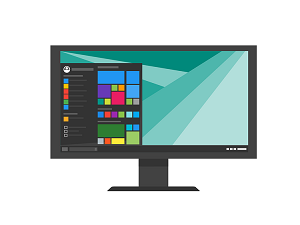
 Recently, Microsoft announced that they were adding support for Android Apps to Windows 11. The company first began testing that new functionality back in October of last year (2021).
Now, the public preview has been unveiled in the US, allowing users to run some Android apps acquired from the Amazon store right from their Windows 11 desktop.
For the most part, the apps available from the Amazon store are games designed for children but there are a few productivity apps also available.
If you want to venture beyond the Amazon App store, several developers and power users have already created ways of installing apps from the Google Play Store. That is along with various methods to sideload apps in Windows 11 which greatly extends and expands the App functionality.
If you’re already running Windows 11 you can start taking advantage of the new capabilities today although you will need to first launch your Microsoft Store app.
Once you do, go to “Library” and “Get Updates.”
This will download and install the latest version of the Microsoft Store App. Once that’s done, you’ll be able to install the Amazon Store app which is the trigger to also install the Windows Subsystem for Android.
This isn’t the only new Windows 11 feature available today. If you’re an early adopter you’ll also be able to play around with the newly redesigned Windows Media player and get a first look at the re-vamped Notepad application.
Microsoft had this to say about their most recent update:
“As today’s release shows, we’re committed to delivering experiences into Windows 11 that enrich and inspire people’s lives. Over time, you’ll see us release new features into Windows 11 for end users more frequently in addition to our annual update.
We will leverage the variety of update mechanisms we have in place including servicing and Microsoft Store updates. Our goal is to deliver continuous innovation, providing you with the best experiences year-round.”
These are exciting changes indeed. Grab the latest and start experimenting today!