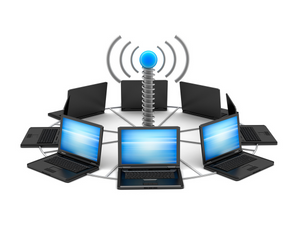
 Wi-Fi is an easy and popular way to connect to the internet. However, it can also be easily hacked and used to steal your sensitive information. This article will explain some top ways to secure your Wi-Fi connection.
Wireless routers bring a great deal of insecurity that most people are unaware of. Here are some of the best ways to secure your Wi-Fi connection.
Install A Firewall On Your Router
Installing a firewall on your router is highly advisable. A good rule of thumb is to install the firewall on your router’s WAN and LAN sides. This prevents incoming and outgoing unwanted connections from being established on the router itself. The firewall will protect your wireless connection by making it harder for people to gain access to the router.
Set Up A Password For Other Devices
To limit wireless connection to unknown users, create a strong password. This makes it much harder for unauthorized users to access your wireless connection. The best option is to use a combination of username and password. Even if your router has a default password, setting a new, stronger password will make your connection more secure.
Enable Two Factor Authentication
To combat the risk of being hacked due to weak passwords, you should enable Two Factor Authentication on all Wi-Fi connections. Using two-factor authentication means that hackers would need two pieces of identifying information before gaining access to your Internet connection. The first piece is usually a password or personal identification number. The second method can involve using an authenticator application installed on your phone. With this form of authentication the phone’s number will receive a unique token. After entering the login credentials, your device will generate a unique key that only you have access to. This authentication system is a much better way to protect wireless networks because there is a second line of defense.
Disable Guest Access
You should disable any guest account that isn’t essential. Even though most modern routers offer the option to disable guest Wi-Fi, in some devices, the option is still enabled by default. By allowing guests access to your router through a simple browser page, you let hackers access your connection almost instantly!
Securing your office network takes a bit of planning, but overall it’s easy to do and ensures that nobody gets access to your critical information without your permission. Don’t be afraid to change things or remove access if they aren’t necessary anymore and develop strong security practices.