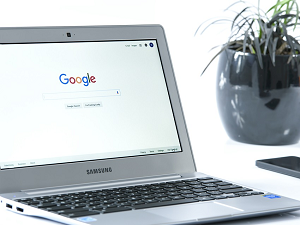
 Do you own a Chromebook? If so, be aware that version 100 of the Chrome OS and Chrome Browser boasts a new launcher. Simply press the “Everything” button which is located on the left-hand corner of your screen to open the Chrome OS launcher.
Like the Windows Start button and the macOS “Spotlight” feature, the new launcher helps users search for files, system settings, and apps.
Just so it doesn’t take you by surprise also be aware that the new launcher opens on the side of your screen rather than from the bottom.
The re-vamped launcher displays more information inside the Launcher context, and it has an appearance that will remind you of ‘Snippets’ in Google Search results. The old launcher only showed a sometimes-cryptic summary when displaying web search results. With more information at the user’s fingertips, fewer actions should be required when searching for people, places, or weather updates from the launcher. So the overall user experience should be improved.
We like the left-side launcher placement because it gives more screen real estate to apps you’ve already got opened. It boasts another cool improvement. Users can now organize apps by name or color or if neither of those options are exactly what you’re looking for you can manually organize them as you see fit.
On top of that, Chromebooks are also getting a new GIF-creation tools that allows users to create custom GIFs from inside the Camera app. Just select “Video” and toggle the “GIF” setting to the on position to create a five-second video that is automatically converted to GIF format for sharing on social media.
Finally, Google has also made changes to the Chromebook Dictation feature, which legions of Chromebook users rely on to dictate emails or other documents. Now, you can also edit text with voice commands which is beyond handy.
Great news all around for Chromebook users. If you don’t have one yet, you may want to consider investing in one if for no other reason than to have a cool backup device.